Documentation Index
Fetch the complete documentation index at: https://docs.tryarchitect.com/llms.txt
Use this file to discover all available pages before exploring further.
This document explains how the cookie consent banner works on Architect pages, what visitors experience, and how their choices affect tracking.
What Is the Cookie Consent Banner?
The cookie consent banner is a privacy compliance feature that appears at the bottom of Architect pages. It gives visitors control over whether cookies (used for analytics, advertising, etc.) are enabled during their visit.
Why it matters:
- The banner helps you comply with privacy regulations like GDPR and CCPA
- Visitor consent choices can affect third-party tracking tools you’ve integrated
- Understanding the user flow helps you communicate privacy practices to visitors
Cookie Banner Design & Compliance Requirements
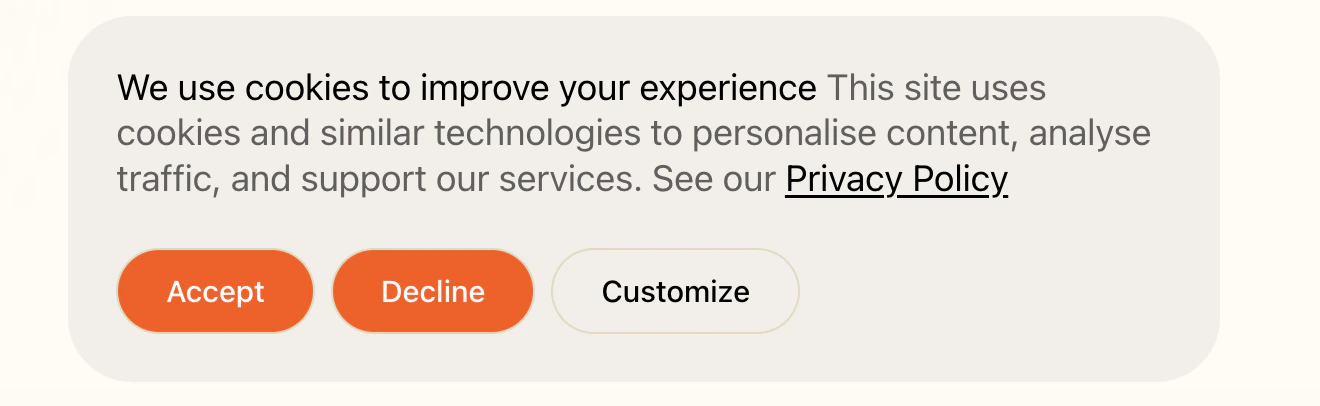 The cookie consent banner automatically adapts to match your brand styling:
- Colors - The banner uses your brand’s primary colors, background colors, and text colors as defined in your Architect theme settings
- Button styling - Accept/Decline buttons inherit your brand’s button styles, including colors, borders, and hover effects
- Typography - Text follows your brand’s font choices and sizing
Regulatory Requirements
| Requirement | Details |
|---|
| Equal prominence | Accept and Decline buttons must be equally visible and accessible |
| Same visual weight | Buttons should have similar size, color contrast, and positioning |
| No dark patterns | You cannot make “Accept” a bright button and “Decline” a small text link |
| Equal ease of use | Rejecting cookies must be as easy as accepting them |
- EDPB Guidelines 05/2020 on consent under GDPR establish that consent must be freely given, and users should not be manipulated through interface design
- CNIL (France) has actively enforced these rules, fining major companies for making rejection harder than acceptance
- ICO (UK) guidance states that withdrawing consent must be as easy as giving it
Customize View
Visitors can click “Customize” to see a detailed panel with toggle switches for each cookie type:
| Category | Toggle | Notes |
|---|
| Required cookies | Locked ON | Shows “required” label - visitor cannot disable |
| Analytics cookies | ON/OFF toggle | Visitor choice |
| Advertising cookies | ON/OFF toggle | Visitor choice |
- Accept all - Turns on all categories
- Accept selection - Saves their current toggle choices
- Decline all - Turns off everything except required cookies
How Consent Choices Are Remembered
Once a visitor makes any choice (Accept, Decline, or custom selection), their decision is saved in their browser. This means:
-
The banner won’t appear again for that visitor on subsequent visits, but they can change their decision in the footer link at any time.

-
The choice persists until the visitor clears their browser data
-
Each browser/device is separate - if a visitor uses a different browser or device, they’ll see the banner again
Important: Consent is stored per-browser, not per-user. A visitor using Chrome on their laptop and Safari on their phone will need to make consent choices on both.
Architect’s Analytics:
Architect’s native analytics system is designed to be GDPR-compliant, which means your conversion rates, session counts, engagement metrics, and all aggregate metrics are not affected by visitors declining cookies.
How This Works
| Aspect | How Architect Handles It |
|---|
| Session Cookie | Uses arcsid - a strictly necessary cookie exempt from consent (maintains page/AI functionality) |
| Analytics Data | Stored as aggregate metrics (conversion rates, session counts) that don’t identify individuals |
| Data Sharing | First-party only - never shared with third parties or ad networks |
What This Means for Your Metrics
- Conversion tracking works regardless of consent choice - Architect’s built-in conversion tracking is not affected by cookie preferences
- Session counts are accurate - All visitors are counted, not just those who accept cookies
- Form submissions are tracked - When visitors submit forms, this is recorded under legitimate interest
Third-Party Scripts
When you add third-party tracking (Google Analytics, Facebook Pixel, etc.), the cookie banner does affect them.
Why Third-Party Scripts Require Consent
- Data sent to external servers (Google, Meta, etc.)
- Used for advertising and cross-site tracking
- Builds persistent user profiles
How It Works
| Visitor Choice | Third-Party Scripts |
|---|
| Accepts cookies | Tracked |
| Declines cookies | Blocked |
| Ignores banner | Blocked |
Common Scripts Affected
Google Analytics, Facebook Pixel, LinkedIn Insight Tag, HubSpot, Hotjar, TikTok Pixel, Google Ads conversion tracking.
Google Consent Mode v2
Google Consent Mode v2 is Google’s framework for adjusting how Google tags behave based on visitor consent. When you use Google Analytics 4, Google Ads, or other Google services, Consent Mode signals your visitors’ consent choices to Google. Google requires Consent Mode v2 for EU traffic as of March 2024
How Cookie Categories Map to Consent Signals
If you configure cookie categories in your banner, they map to Consent Mode as follows:
| Cookie Category | Consent Mode Signals |
|---|
| Required | N/A (always enabled, no consent needed) |
| Analytics | analytics_storage |
| Advertising | ad_storage, ad_user_data, ad_personalization |
How Architect Maps to Consent Mode v2
When a visitor interacts with the cookie banner, their choices map to Consent Mode signals:
| Visitor Choice | analytics_storage | ad_storage | ad_user_data | ad_personalization |
|---|
| Accept all | granted | granted | granted | granted |
| Decline all | denied | denied | denied | denied |
| Analytics only | granted | denied | denied | denied |
| Advertising only | denied | granted | granted | granted |
| No interaction | denied | denied | denied | denied |
Regional Defaults
Based on visitor location, Consent Mode starts with different default states:
| Region | Cookie Banner | Default State | Reason |
|---|
| EU/EEA | Shown | Opt-in required | GDPR |
| UK | Shown | Opt-in required | UK GDPR |
| Switzerland (CH) | Shown | Opt-in required | Swiss DPA |
| All other regions | Hidden | Granted by default | User can opt out via footer link |
Consent Mode and Conversion Modeling
When consent is denied, Google uses conversion modeling to estimate conversions:
- Google tags still load but don’t set cookies
- Cookieless pings are sent for basic measurement
- Google uses machine learning to model likely conversions
- You still get directional data even with low consent rates
Important: Architect’s native conversion tracking works regardless of consent and is not affected by Consent Mode settings.
What Happens If a Visitor Ignores the Banner?
If a visitor does not interact with the banner and simply continues browsing:
- The banner remains visible - It stays fixed at the bottom of the screen as they scroll and navigate
- No consent is recorded - The visitor has not made an explicit choice
- The banner persists - Since no choice was saved, the visitor will continue to see the banner throughout their session and on return visits

