

Documentation Index
Fetch the complete documentation index at: https://docs.tryarchitect.com/llms.txt
Use this file to discover all available pages before exploring further.
Analytics Improvements
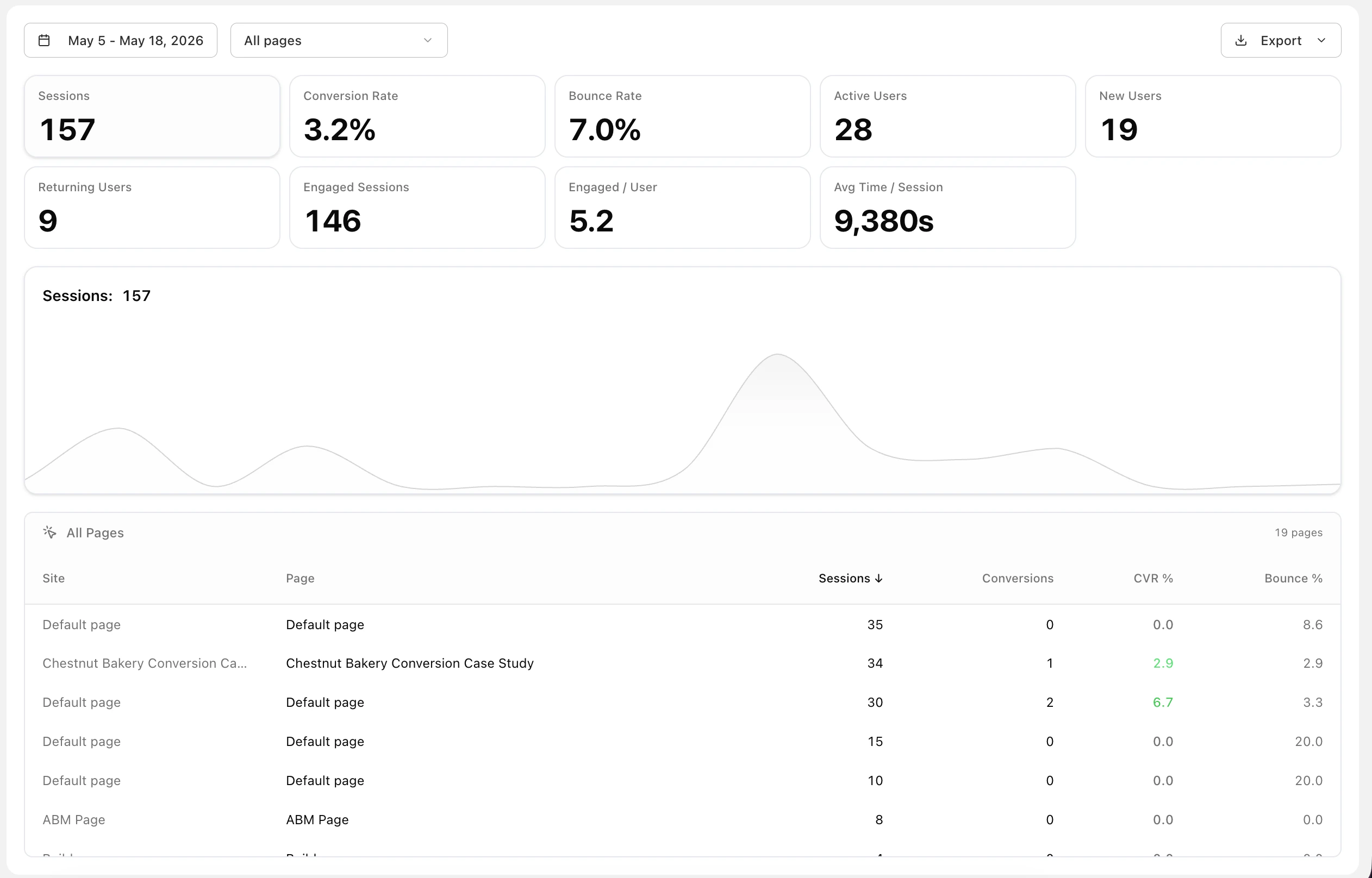
We’ve made analytics more useful on the front end so you can see performance more clearly and make better decisions faster. See the updated metrics experience on the Analytics page.- Expanded Analytics Metric Cards: Added more global metric cards and improved the layout for easier scanning.
- New User Metrics: Track active, new, and returning users, plus engaged sessions, conversion, bounce, and time-based metrics.
- Improved Analytics Charts: Refined the chart layout to make trends easier to read and compare across campaigns.
- More Accurate Attribution: Viewer identity and interaction tracking are now more reliable for cleaner analytics data.
-
Page-Level Filters & Exports: Filter analytics by page and export data for reporting, campaign reviews, and stakeholder updates.
Brand Agent Themes & Brand Setup
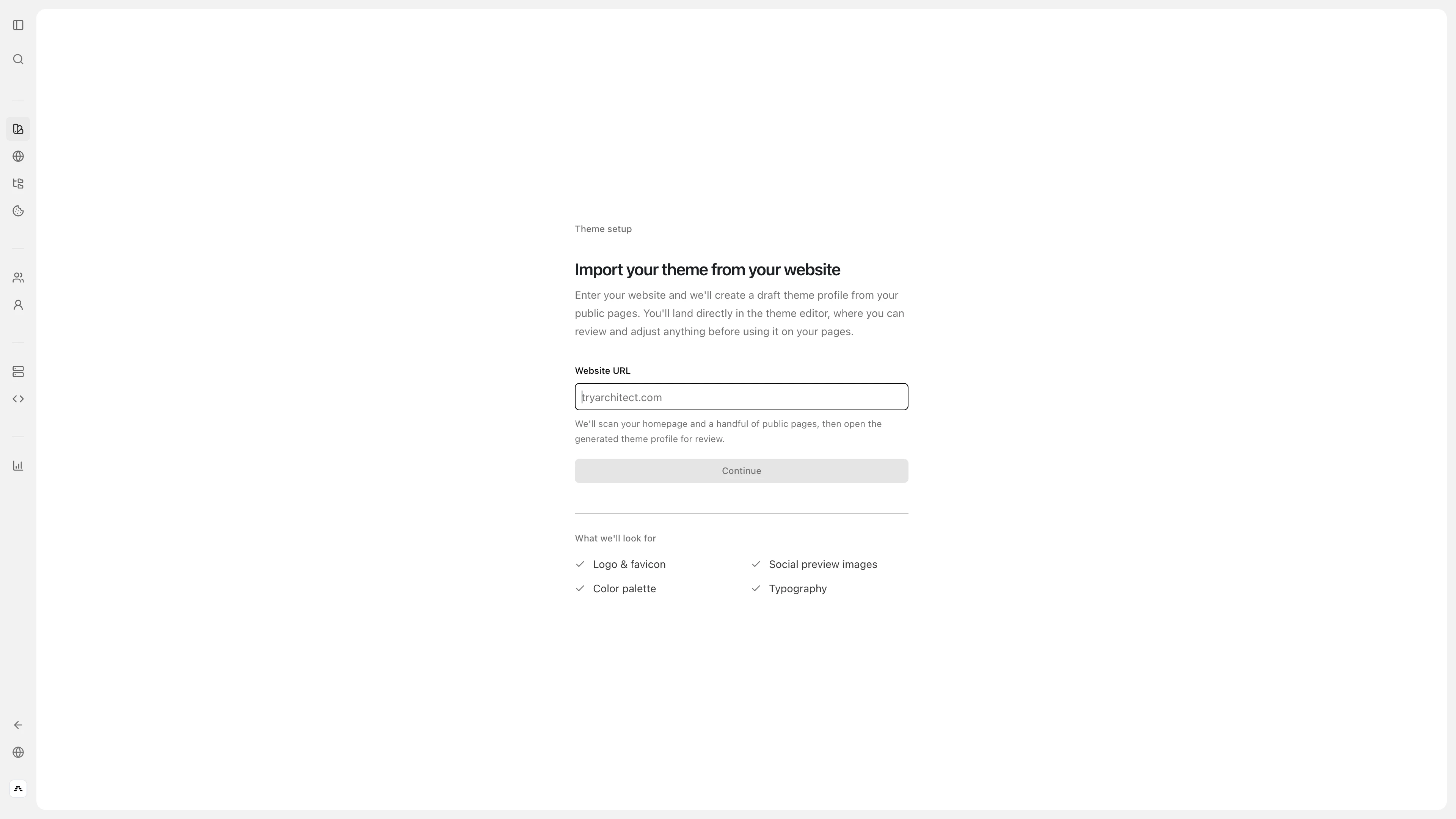
We’ve improved the Brand Agent experience to make brand setup and theme management more complete and easier to work with. Manage theme creation in Create Theme.- Theme Defaults: Brand setup now uses explicit theme defaults for more consistent page styling.
- New Theme Component Configs: Added groundwork for configurable components like Header, Footer, Bento Cards, Tables, and Pricing.
- Brand Agent Actions: Rename, duplicate, and delete imported Brand Agent brands directly from the workspace.
- Better Duplicate Handling: Duplicated brands now keep theme colors and saved style options.
-
Stronger Font Extraction: Improved font detection from real page content to better match your site’s look and feel.
Sidebar & Workspace Navigation
We’ve refined the sidebar and workspace experience to make managing pages, audiences, and settings feel smoother and less cluttered. Review the workspace from Pages.- New Page Workspace Sidebar: A dedicated workspace sidebar now gives faster access to Pages, Audiences, Manage, and Settings.
- Cleaner Sidebar States: The primary sidebar now dims and collapses more naturally when the workspace sidebar is open.
- Improved Work Item Indicators: Page and audience work indicators now group more cleanly for less visual noise.
- Better Audience Creation Flow: Create-audience is now available directly from audience routes.
Page Editing, Sharing, And Reliability Improvements
A few more updates help your pages work better and feel more polished in day-to-day use. Open a page in Pages.- Safer Copy Actions In Safari: Copy buttons and preview-link copy actions now work more reliably in Safari.
- Preview Vs Public Links: Preview links are now clearly separated from public links.
- Smarter Page Sessions: Page state now survives reloads more reliably for editors and viewers.
- Faster Seeded Page Group Creation: Skips unnecessary initial builds when a page group is created from seeded content.
Navigation Links in the Header
You can now add navigation links directly in your page header, making it easier for visitors to move between key pages, offers, or sections.- Header Navigation Links: Add and manage links so people can quickly jump to the most important pages in your funnel. You can configure this in page settings under Navigation links.
- Grouped Dropdown Menus: Keep your header clean by grouping related links into a single toggle. This is perfect for organizing similar content like Use Cases, Success Stories, or Resources.
-
Flexible Routing: Easily link to internal Architect pages or any external URL to keep your ecosystem connected.

Bento Component for More Engaging Page Layouts
We’ve added a new Bento-style component to give your pages a more modern, structured look.- Bento Layout: Build clean, modular sections that help you showcase products, benefits, or campaign messages more clearly.
-
Combine Existing Components: Mix CTAs, quotes, stats, feature cards, images, videos, and logo marquees in one adaptive grid to create richer, more visually varied page sections.
Pages Per Account and Page Link UI
We’ve updated the page link UI and you can now create pages for individual accounts, making it easier to connect pages across your site.- Updated Page Link UI: Create and manage links between pages in a clearer interface without having to work around technical page IDs.
- Pages Per Account: You can now create pages for individual accounts, making it easier to build account-specific experiences.
New Page Hero Component
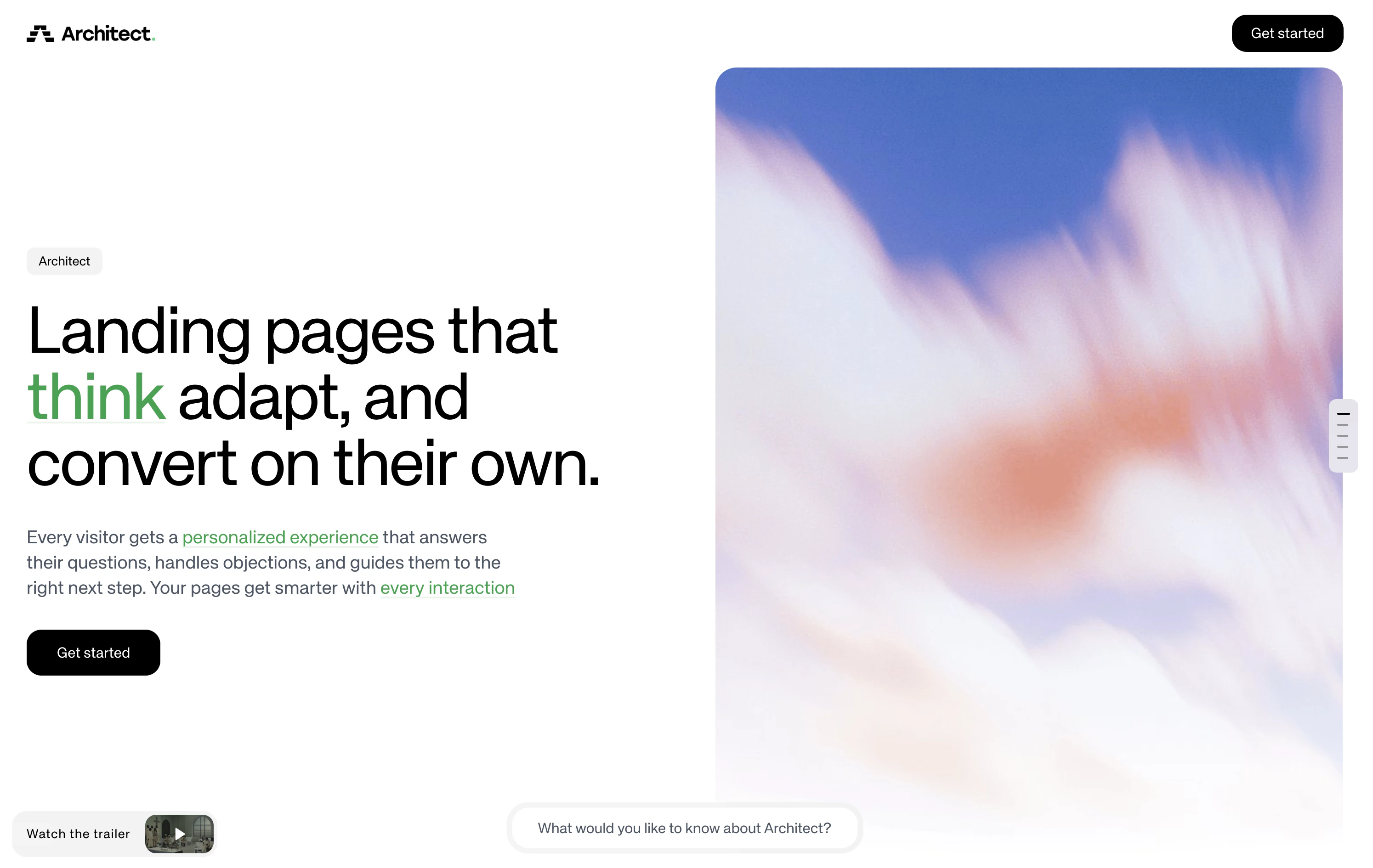
We’ve added a new Hero component to give your landing pages a stronger first impression and help you build pages that convert better.- More Visual, More Flexible: The new hero component lets you create richer top-of-page layouts that are better suited for product launches, ABM pages, and campaign-specific messaging.
-
Better for Conversion: A stronger hero section helps you communicate value faster, which is key when you only have a few seconds to capture attention.
Usage & Value Analytics
We’ve introduced a new usage experience that makes it easier to understand performance and show ROI at a glance.- Clearer Value Overview: See total value, key usage metrics, and ROI signals in one place.
- Value Analysis Reporting: Usage calculations and inline value analysis are now available directly in the usage page, making reporting easier to trust and explain.
Forms, Connections, and Integrations
We’ve made it easier to connect your landing pages directly to the tools your team already uses for scheduling and lead capture.- Direct In-Platform Connections: You can now connect Architect directly with HubSpot and RevenueHero inside the platform, making it easier to route leads and book meetings without extra setup.
- Need Another Connection?: If there is another integration you want to use, please message us. We’re happy to help and prioritize new connection requests.
Pages, Audiences & Omnibar
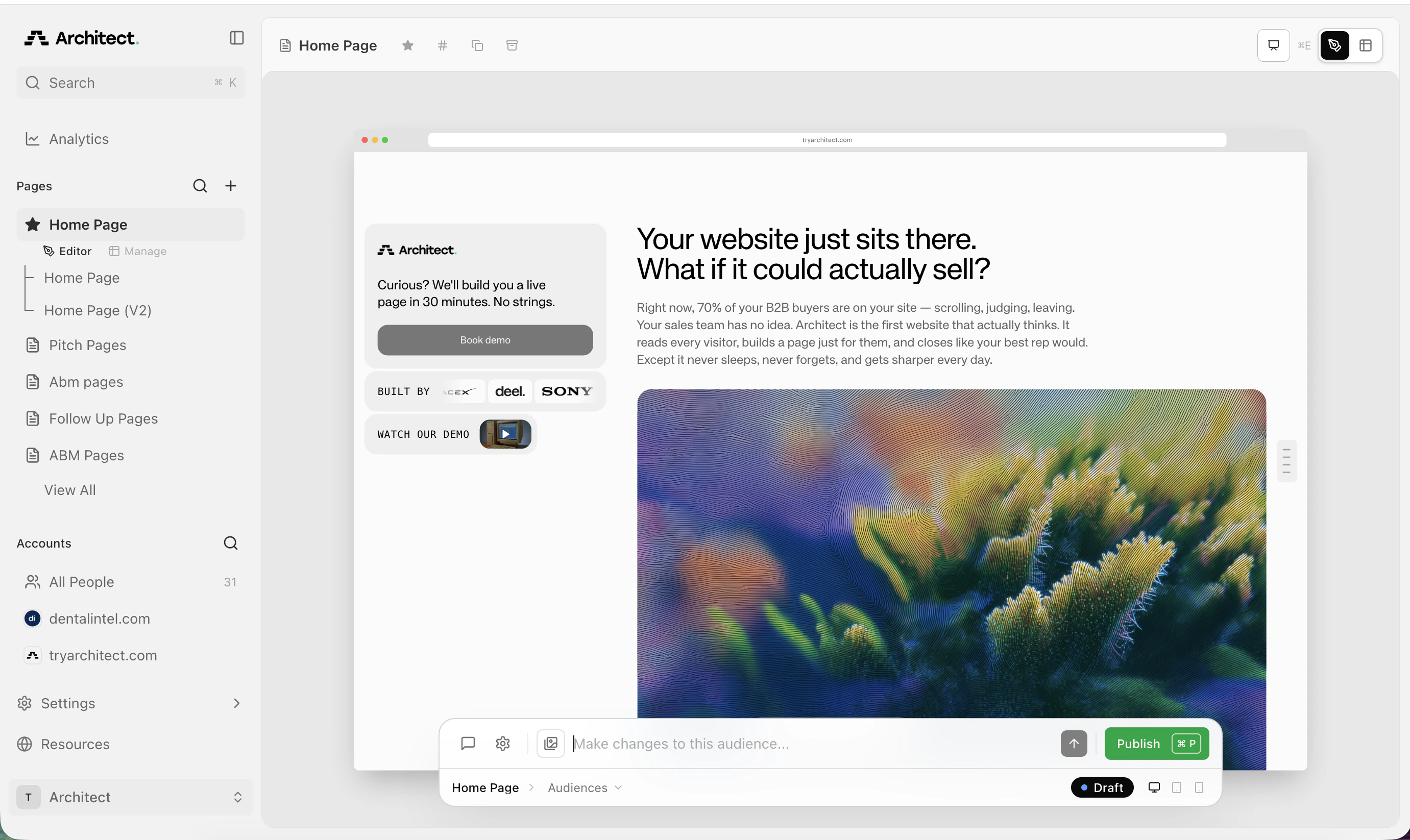
We’ve redesigned our UI around pages and audiences.- Pages: Your main page — this is your base content that you create and edit. For example, create a base ad landing page around one of your product offerings.
- Audiences: An adaptation of your page, tailored for a specific segment. Create your base page, then adapt it for different audiences.
-
Omnibar: The omnibar now controls page and audience edits and settings, giving you a single place to make changes, update settings, and publish for both pages and audiences.
Better Page Design & Preview Experience
We’ve polished the editor to make page building feel more visual, more natural, and less jarring.- Full-Screen Page Preview: You can now open a more immersive preview mode with device frames, making it easier to review how pages look on desktop, tablet, and mobile before you publish.
- Improved Mobile Preview: We’ve refined mobile preview behaviour so pages are easier to inspect on smaller screens and more accurate across devices.
- Better Asset Handling: Image uploads now support more formats, including SVGs, which makes brand and design assets easier to use in your pages.
Notifications
Stay on top of activity without having to check the dashboard all day.- Form Submission Alerts: Get an email the moment someone submits a form on your page so your team can follow up faster and capture more leads.
- Analytics Recaps: Receive scheduled digests that summarise traffic and engagement trends, helping you quickly spot what’s working across ABM, SEO, and ad campaigns.
- Notification Preferences: Choose how often you want to hear from us, so you only get the updates that matter to your workflow. Manage your notification settings.
Page Insights, Now Front and Centre
We’ve made it easier to see what’s happening on each page without digging through account-level reports.- Insights Tab on Every Page: View page-level interactions directly from the page itself, so you can learn more about your users and what they are thinking.
- Recommendations: Based on the interaction data, the agent will provide recommendations on how you can improve your pages or information.
Prospects: Create More Pages, Faster
We’ve made bulk prospect workflows much easier, so you can scale outbound and ABM campaigns without repetitive setup.- MCP: Control the Architect platform with LLM’s, making it easier to manage pages and workflows without digging through settings.
- Bulk Page Creation for Prospects: Create pages for multiple prospects in one go instead of repeating the same build process over and over.
- Import Prospects from CSV: Bring in large prospect lists quickly to launch campaigns at scale.
- Auto-Publish Prospect Pages: Prospect pages now go live automatically by default, helping you move from setup to campaign faster.
-
Account-Level Data: See richer prospect/account context to make pages more relevant and targeted for each audience.
Coming Soon
- Brand Agent: Improve your brand experience with a custom agent that can pull in your fonts, logos, and other brand assets automatically.
Interactive On-Page AI Experiences
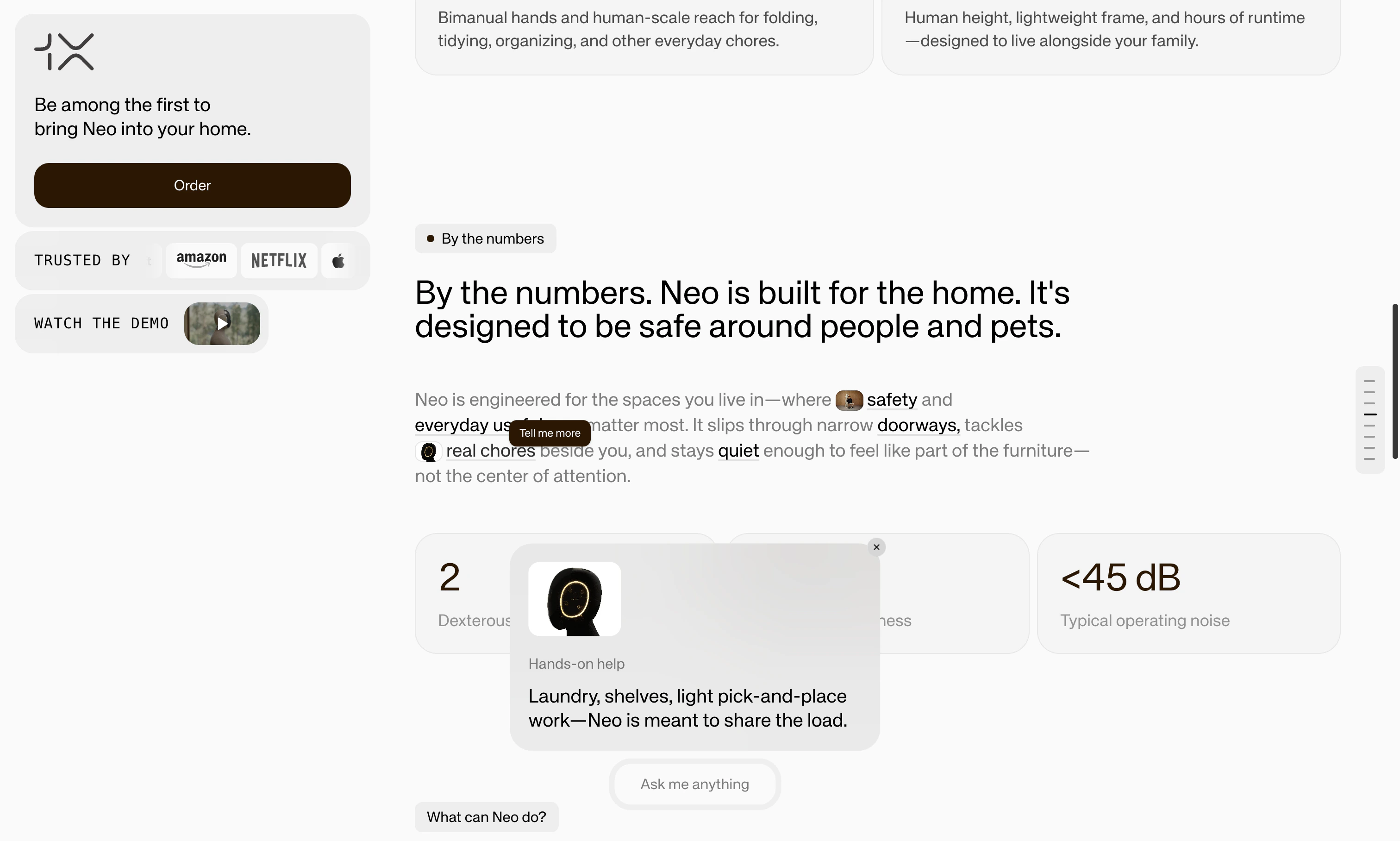
We’ve supercharged your on-page AI to help you automatically engage visitors, answer their objections, and drive them to book a call through dynamic page elements.- Page Agent Chat: Visitors can now interact with our Page Agent through the ‘Ask me anything’ bar, allowing them to ask questions and generate personalized page sections.
- Inline Conversations: Hover over any element on the page and see personalized suggestions to expand the conversation. Instead of having a one-size-fits-all FAQ, we let the agent predict the most frequently asked questions for every component on your page: text paragraphs, features cards, images, etc. (Note: Available on newly generated pages only.)
-
Keyword Cards: Highlighted text keywords are now interactive! Click on one and the agent will pull out a definition or explanation card. (Note: Available on newly generated pages only. You might also notice that the highlighted words on your page have changed colors. If desired, you can always change that color back by heading to your Brand Settings under ‘Links/ Highlights’ color.)
Enhanced People Tracking & Management
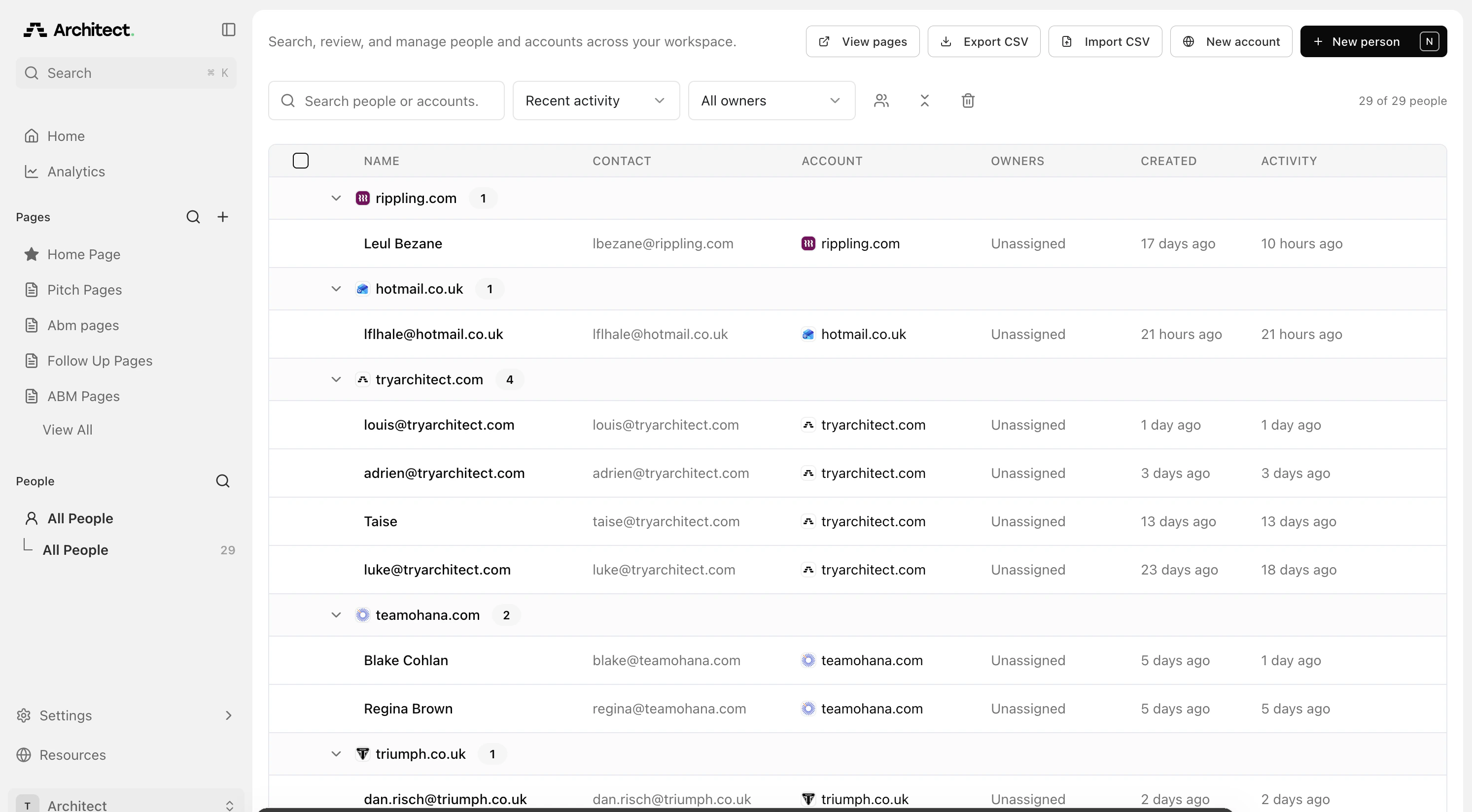
Managing the people you are targeting for your Outbound campaigns just got a lot easier and more flexible.- Redesigned Prospects Dashboard: Easily search, sort, and group your leads, and view their activity and personalized pages side-by-side.
- More Ways to Capture Details: You can now save LinkedIn profiles, company domains, and automatically-formatted international phone numbers directly to your prospect records.
- 🔜 Coming Soon: Bulk Upload, Export and Page Creation for Prospects
Global Workspace & AI Knowledge Settings
We’ve added new centralized controls and navigation tools to help you manage your brand’s knowledge base and move through the platform with less friction.- Global Search (Cmd+K): Jump instantly to any campaign, page, or prospect from anywhere in the app using our new global search shortcut.
- Global AI Rules: Take full control of your brand voice. Set workspace-wide “rules” for your AI—tell it exactly how to speak, what value props to emphasize, and how to represent your business across all your pages.
- Document-Grounded Answers: You can now upload your company documents and the AI will use them to provide smarter, more specific answers to your visitors’ questions.
Smarter prospect and lead management
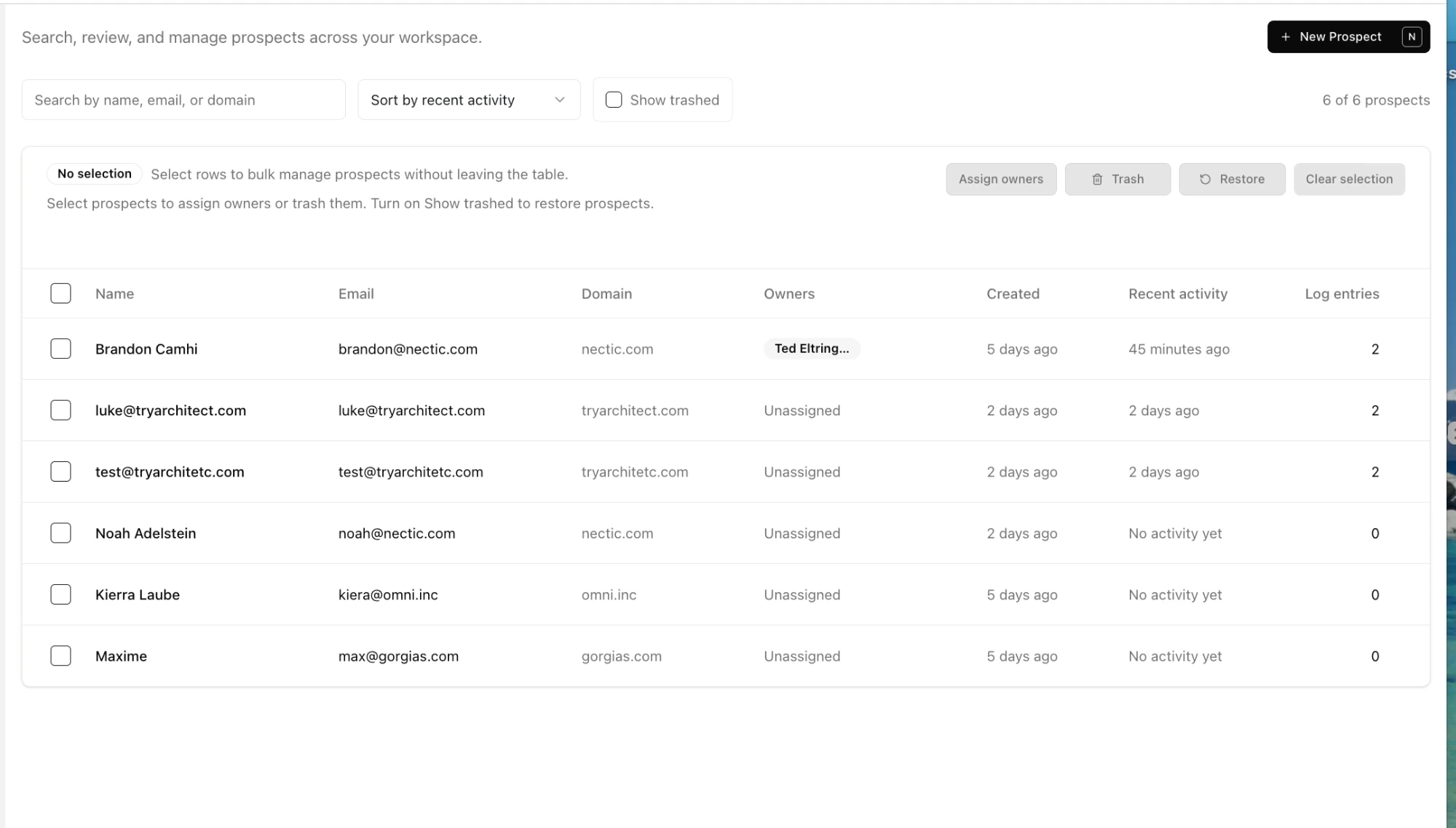
We’ve revamped how you view and interact with the leads your pages capture.- New prospect dashboard: Manage all your leads and prospects in one place. Edit prospect names, add custom notes, and bulk manage (assign, trash, or restore) multiple leads at once.
- Auto-capture: Form submissions are now automatically captured as prospects. You can also manually add prospects and generate customized pages for them.
-
Analytics tracking: See how and when leads interact with your pages, with engagement logged to each prospect profile.
More interactive and beautiful pages
Keep visitors engaged with smarter, sleeker page components and easier testing.- New global page layout: We increased the width of the main content rail by collapsing the right-side navigation. Pages require less scrolling and feel more premium.
- Action widgets: Pin important links, social proof, and videos to the left-rail Action Card for high visibility. Action widgets stay consistent across pages. Configure them in Page Settings under Action Widgets.
-
Feature card makeover: Feature cards now support more advanced styling options like borders, radiuses, and colors.
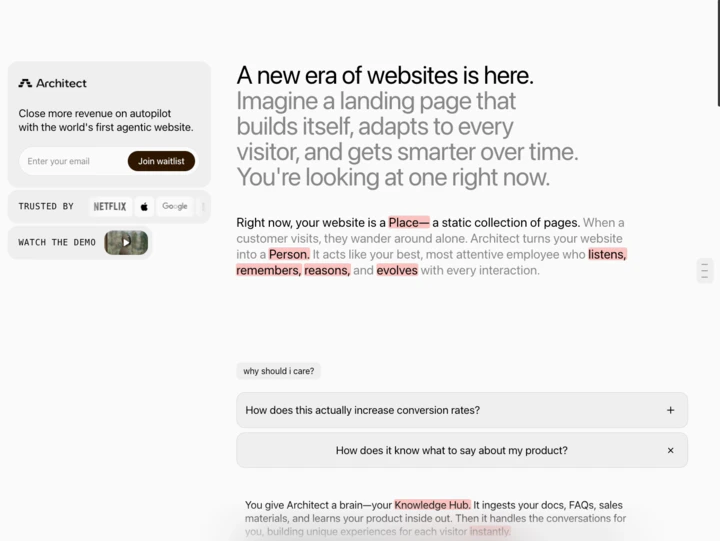
Coming soon
- Component conversations: Every component becomes a starting point for a conversation. Users can hover over elements to see personalized suggestions and ask questions.
- Chat with the page: We’re bringing back the Question Bar. Visitors can request new sections through the Agent Input Bar (for example, type “Pricing” to generate a pricing section).
- More action widgets: Calendar, sound, and more. Requests are open.
Functionality Improvements
Streamline your workflow, test campaigns faster, and track your data with pinpoint accuracy.- Page Cloning: Duplicate any page right from your dashboard. Easily reuse your highest-converting layouts across different Pages or set up quick A/B tests. Just clone the page, tell the agent what to tweak, and hit publish.
- Page Types: When creating or editing a Page, you can now select a purpose type. This tells our AI exactly what kind of page to build, automatically tailoring the structure, tone, and messaging to match your goal.
- Stop the AI Mid-Build: You can now hit stop mid-generation. It safely saves the draft right where it stopped, allowing you to instantly tweak the design on the fly.
- Full UTM Tracking on Forms: When a visitor fills out a form, full UTM parameters are now captured and passed directly through your webhook into your CRM. You’ll know exactly which ad, email, or campaign drove the conversion.
Page Improvements & New Components
Deliver faster, fully compliant, and seamless experiences to your page visitors.- Cookie Banner: Architect now has its own custom cookie banner. Fully customizable to match your brand’s styling, it automatically targets visitors based on their region to ensure compliance. It also works seamlessly with Google Consent Mode v2 to keep your Google Ads and third-party analytics strictly compliant, all while your native Architect conversion metrics continue to track perfectly.
- Page Image Loading: We’ve upgraded how images load on your pages using progressive placeholders and responsive sizing. This gives your visitors a much smoother mobile experience and boosts your page speed (a big win for SEO).
Enhanced Asset Library
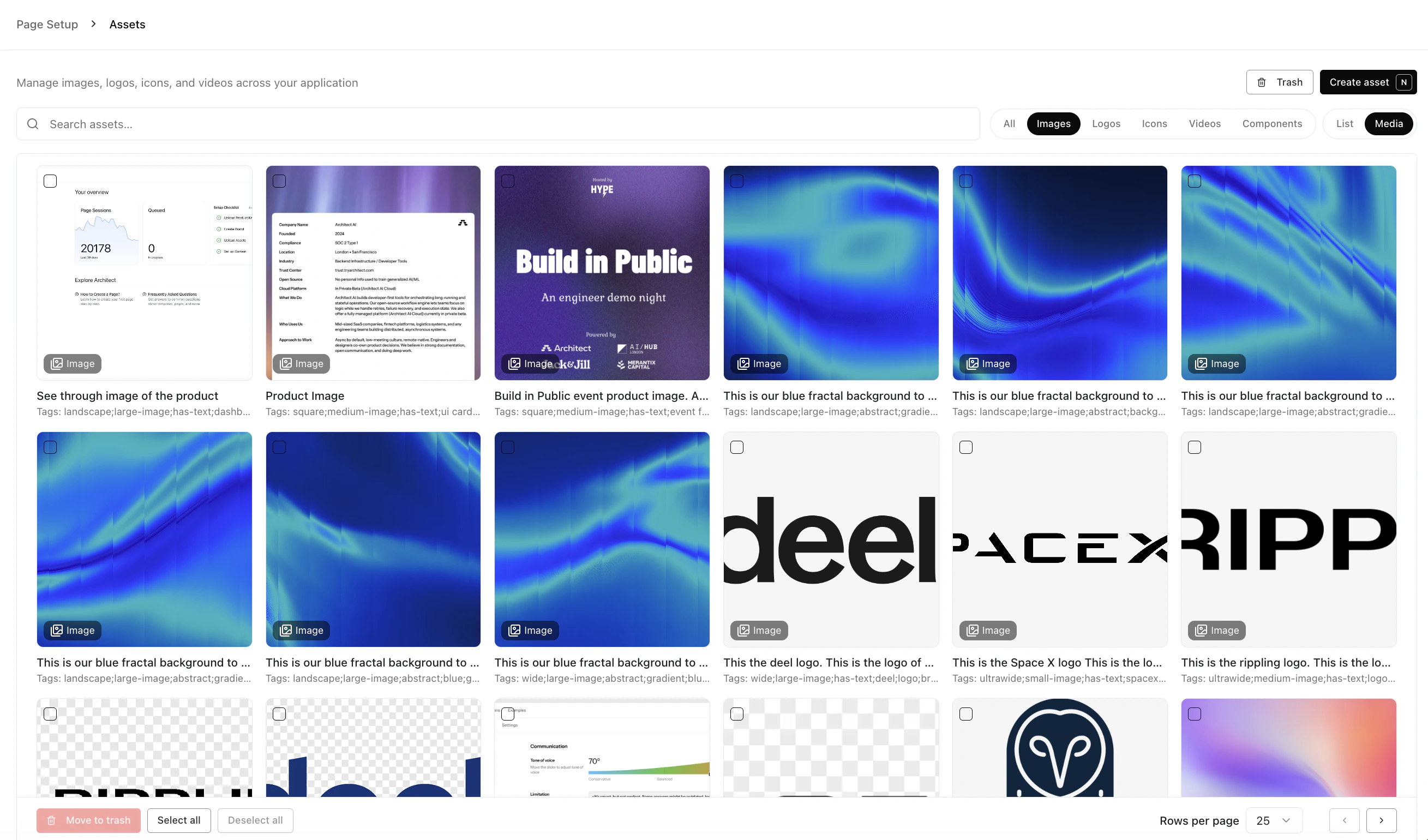
We have completely rebuilt the way you manage images and files to speed up your design workflow, separating assets into different categories.- Delete Images: Keep your workspace tidy by deleting old images, logos, or icons you no longer need.
- Instant Logo Imports: You can now search for a brand domain and automatically import their official logos directly into your library.
-
Image Scraping: Enter your website URL to instantly pull and bulk-upload existing images from your website.
Analytics & Reporting
Gain deeper visibility into how your landing pages are performing across your campaigns.- Analytics Dashboard: View high-level metrics for all your pages in one place. Easily track session counts and engagement over time to see which pages are winning.
- Excel & CSV Export: You can now export your analytics data directly to Excel or CSV. Perfect for sharing campaign results with stakeholders or combining data with your own internal reports.
Routing and Experiments
Take full control of your traffic distribution and run smarter tests with our new routing and experimentation capabilities.- Weighted Traffic Routing: Distribute traffic across multiple pages using customizable weights. Perfect for A/B testing, gradual rollouts, or splitting traffic between different pages.
- External URL Experiments: Compare your existing landing pages against ours using a single, unified link, where you decide how to split the traffic. This is specifically useful if you are running PMAX Campaigns, as you are unable to run these experiments in Google.
- Query Parameter Preservation: UTM parameters and tracking data automatically flow through redirects, ensuring your attribution stays intact across the entire visitor journey.
New Components
We’re expanding your design toolkit with highly requested building blocks to make your pages more engaging and conversion-friendly.- Video Component: Video is one of the highest-converting assets for landing pages. We’ve added a dedicated workflow to manage and embed YouTube videos onto your page.
- Form Improvements: We’ve upgraded our forms, allowing you to include multiple fields, such as phone numbers, first and last names, or multiple-choice questions.
-
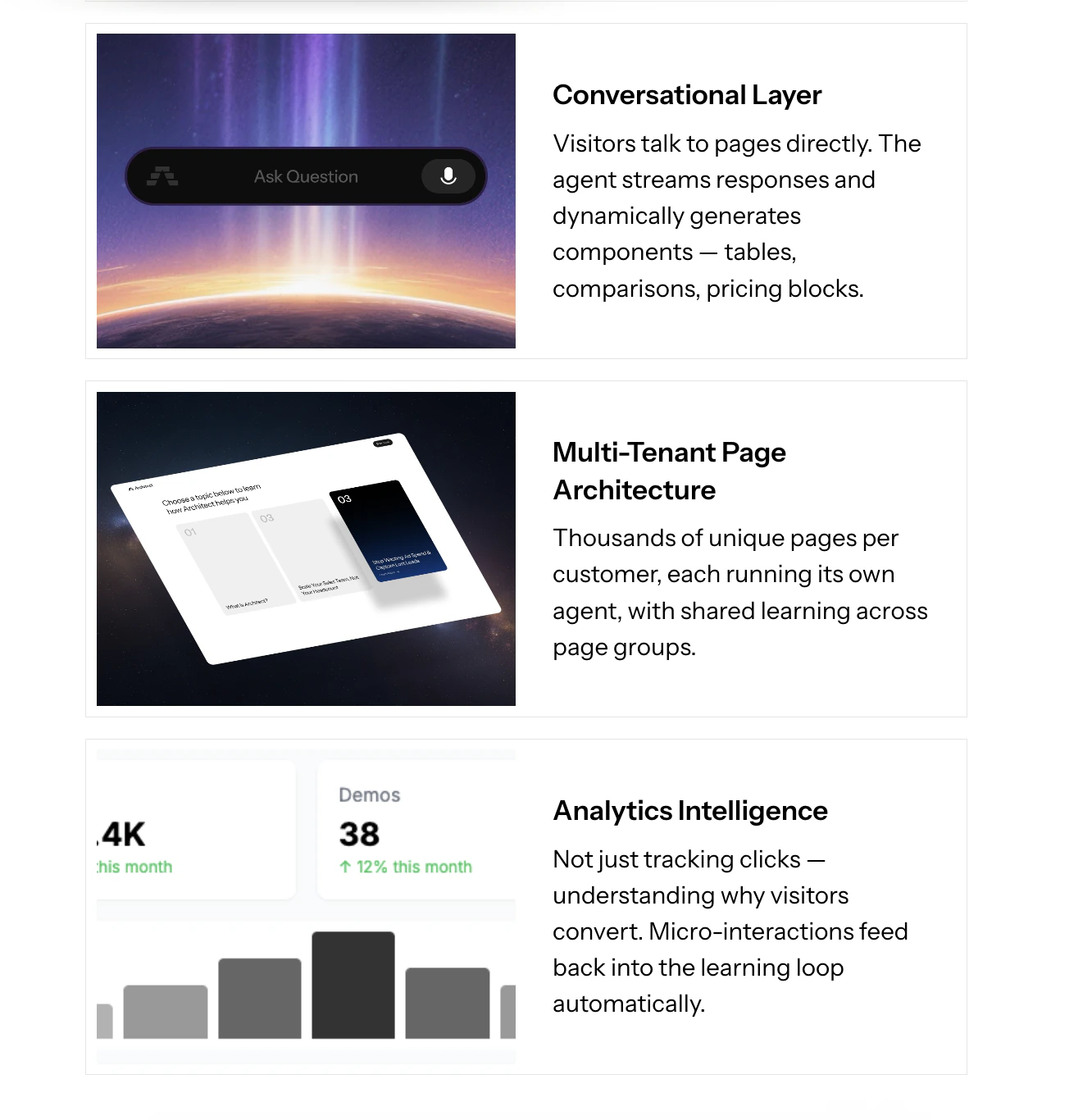
Feature Cards with Images: You can now add rich images directly to your feature cards, making it easier to showcase your product’s core benefits and break up text-heavy sections.
Platform Improvements
Keep your workspace clean without fear of losing work.- Archiving: You can now archive pages. This removes them from your active dashboard but keeps the data safe if you need to restore an old campaign later.
- CSV Data Exports: You can now export your data directly to CSV. This includes a Session Summary Export (metrics like duration, scroll depth, and clicks) and a Live Pages Export (stats like views and CTR%).
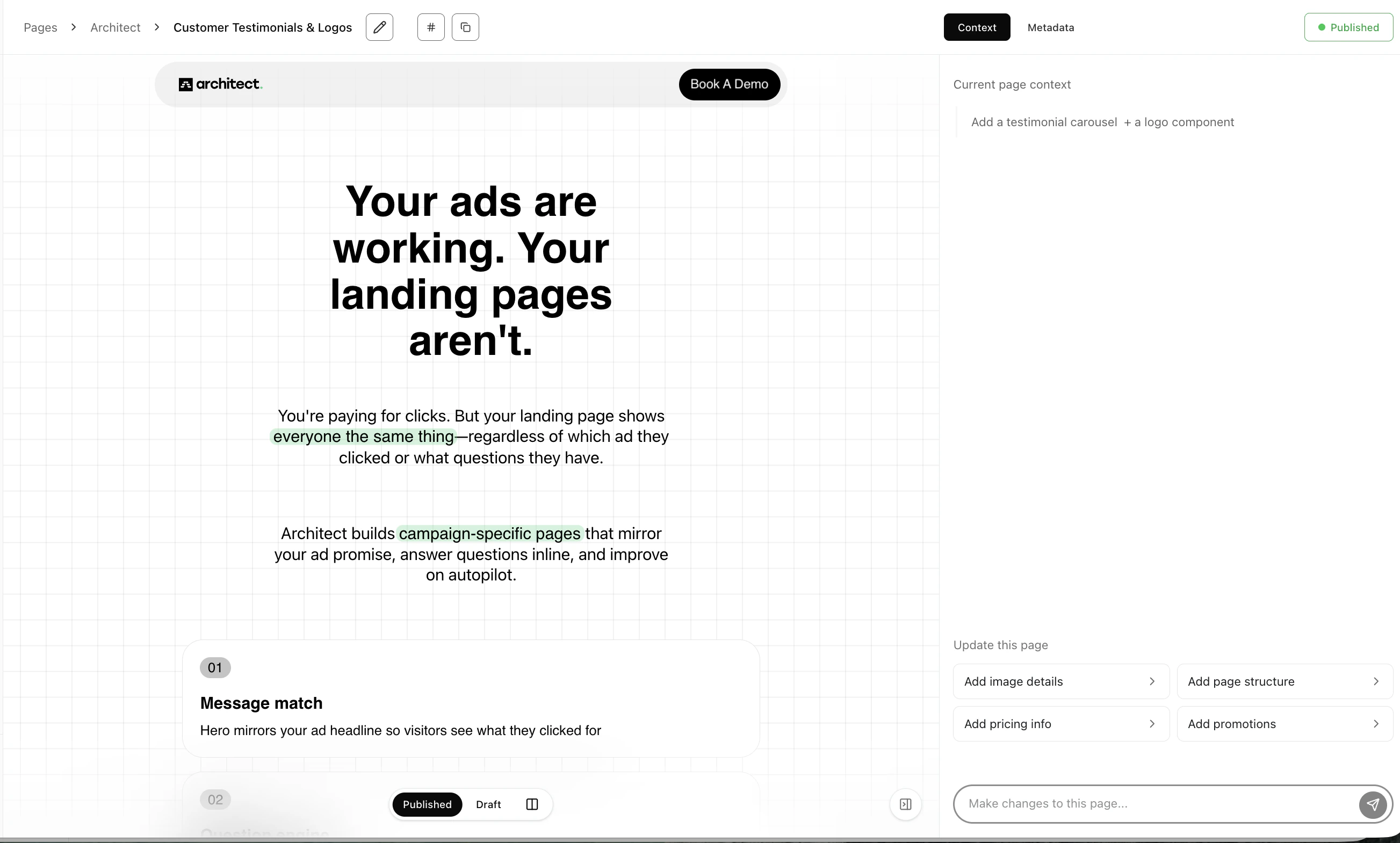
- Per Page CTA: A new feature that allows you to set the CTA per page, meaning you can tailor the link destination or form to match the specific goal of that individual landing page.
- OG Image Generator: The system can now automatically generate Open Graph (social preview) images for your brands using AI, so your links look polished when shared on LinkedIn or Slack.
Faster, Smarter AI Builder
We’ve made the page-building agent more intelligent and responsive to help you iterate faster.- Web Search: The agent can now browse the web to gather context on your company or competitors, resulting in much more relevant copy and design.
- Interrupt the Agent: You can now stop the AI mid-generation if you see it going in the wrong direction.
- Clarifying Questions: If your prompt is ambiguous, the agent can now pause to ask you clarifying questions (with quick-reply chips) to ensure it builds exactly what you want.
New Agent Experience: Build & Edit in Real-Time
We are introducing a new AI Chat Agent interface to speed up your page creation workflow.- Chat-to-Build: Simply chat with the agent to generate or modify landing pages. This allows for rapid iteration when spinning up personalized pages for different target accounts.
- Live Streaming: Watch your page build itself in real-time. As the agent generates content, the preview updates instantly, no more waiting for the whole page to finish processing.
-
Direct Slice Editing: You can now ask the agent to edit specific sections (slices) of a page directly, making it easier to tweak copy or layout for specific customer segments without rebuilding the whole page.
Analytics Update: Goodbye Metabase, Hello Native Data
Metabase has been officially shut down and is no longer available. To streamline your workflow, we have moved all analytics directly into the platform.- Full Migration to In-Platform: You can now access all your campaign data without ever leaving your dashboard. All tracking, including UTM parameters and Date Range filtering, is now exclusively located in the Analytics tab within your pages.
- Upcoming V2 Agent Metrics: We are currently integrating deep-dive analytics for the new Agent. Soon, you’ll see native tracking for threading, FAQ interactions, clicks, and scroll behavior right alongside your traffic data.
Visual Polish: Highlighting & Animations
First impressions matter. We’ve added sophisticated animations to keep visitors engaged and guide their eyes to your key value propositions.- Enhanced Page Animations: We’ve improved the motion design throughout the entire page experience. From smooth transitions to subtle entrance effects, the platform now feels more fluid and high-end.
- Tailored Branding: Customize your look and feel with ease. From custom CSS to specialized font libraries, you can now direct the agent to style your pages to be pixel-perfect and on-brand.
- Coming Soon: Video components, logo groupings, and icon sets.
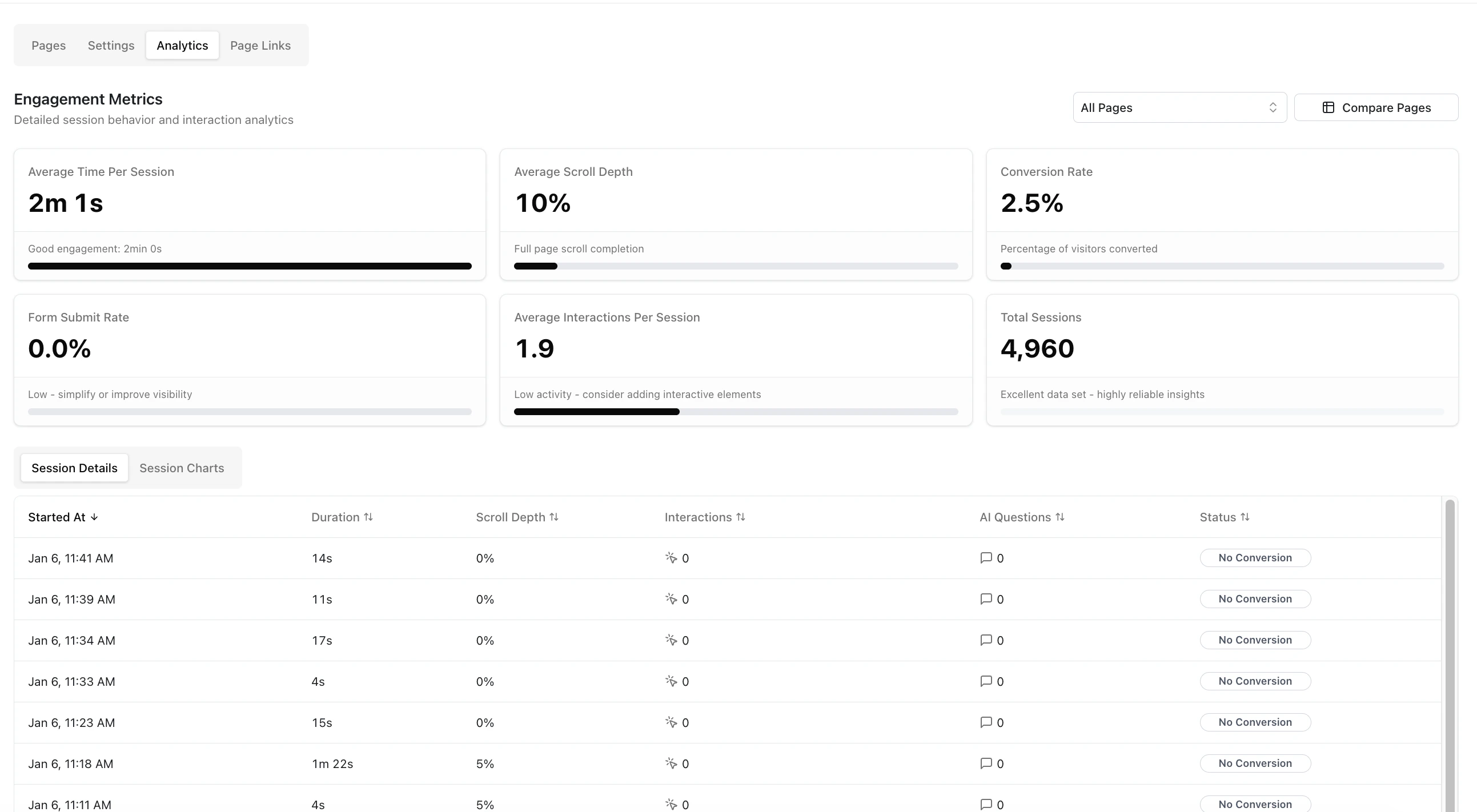
Brand New Analytics Dashboard
We have completely overhauled our in-platform analytics to give you granular, high-definition insights into user behavior.- Individual Session Streams: You can now drill down into specific visits to see exactly what happened. Track how far a user scrolled, precisely how long they spent on the page, and what actions they took during their session.
- Page Analytics: View aggregate performance data for entire clusters of pages at once or see performance difference between two or more pages to see exactly which variations are converting best.
-
Visual Trends: Spot patterns faster with our new charts and visualizations, helping you identify conversion trends and anomalies over time.
Faster AI & Page Performance
We’ve upgraded the engine under the hood to make the platform faster for you and your visitors.- Faster AI Generation: We’ve upgraded our AI agent (now using the latest models). You will notice significantly faster speeds when generating new page content, designs, and copy.
- Snappier Page Loads: We’ve implemented smart caching for page links and files. This means your landing pages load faster for your prospects, a critical factor for SEO rankings and reducing bounce rates.